
How PlusU Loyalty works
A simple loyalty system for businesses and their customers — no app required.
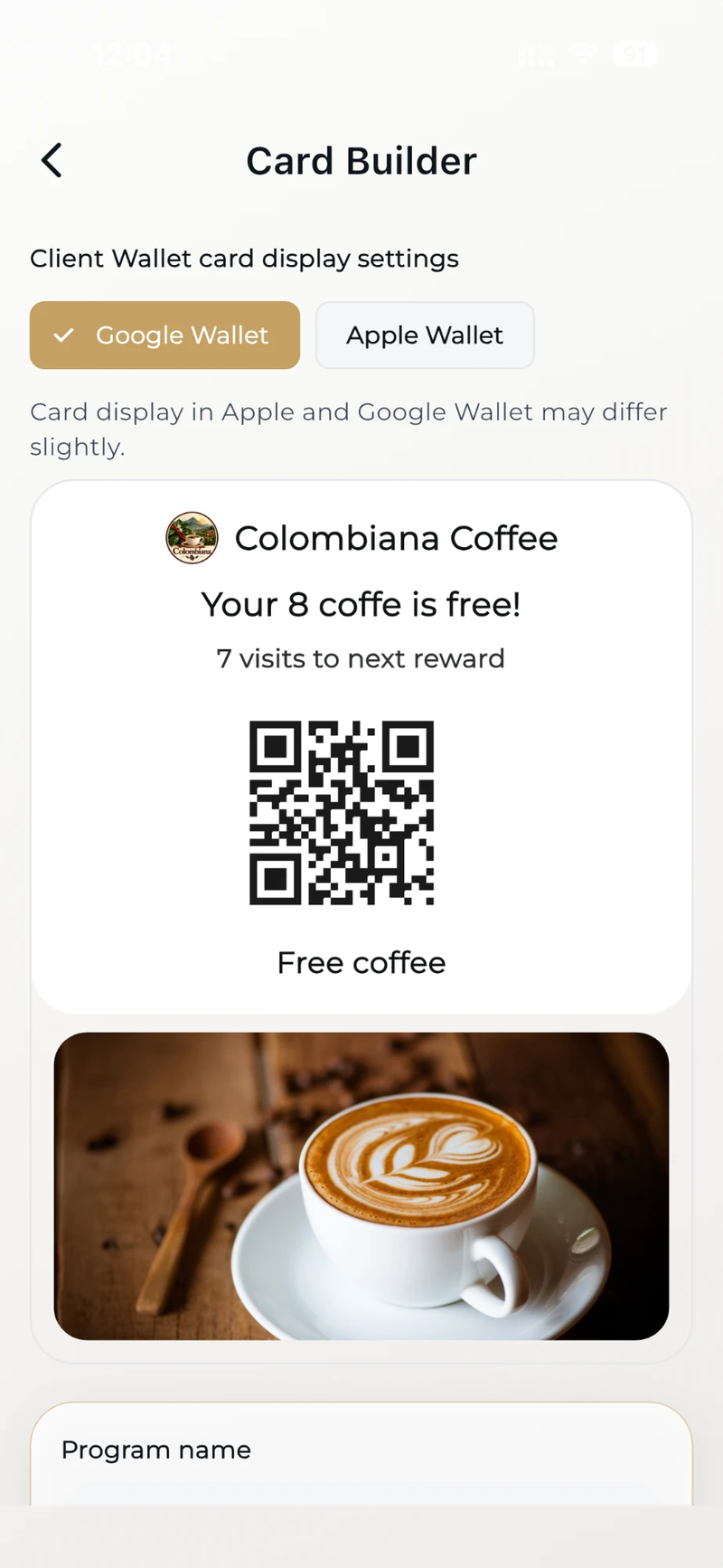
Business creates a loyalty card
The business creates a digital loyalty card in PlusU Loyalty and receives a unique QR code for customers.
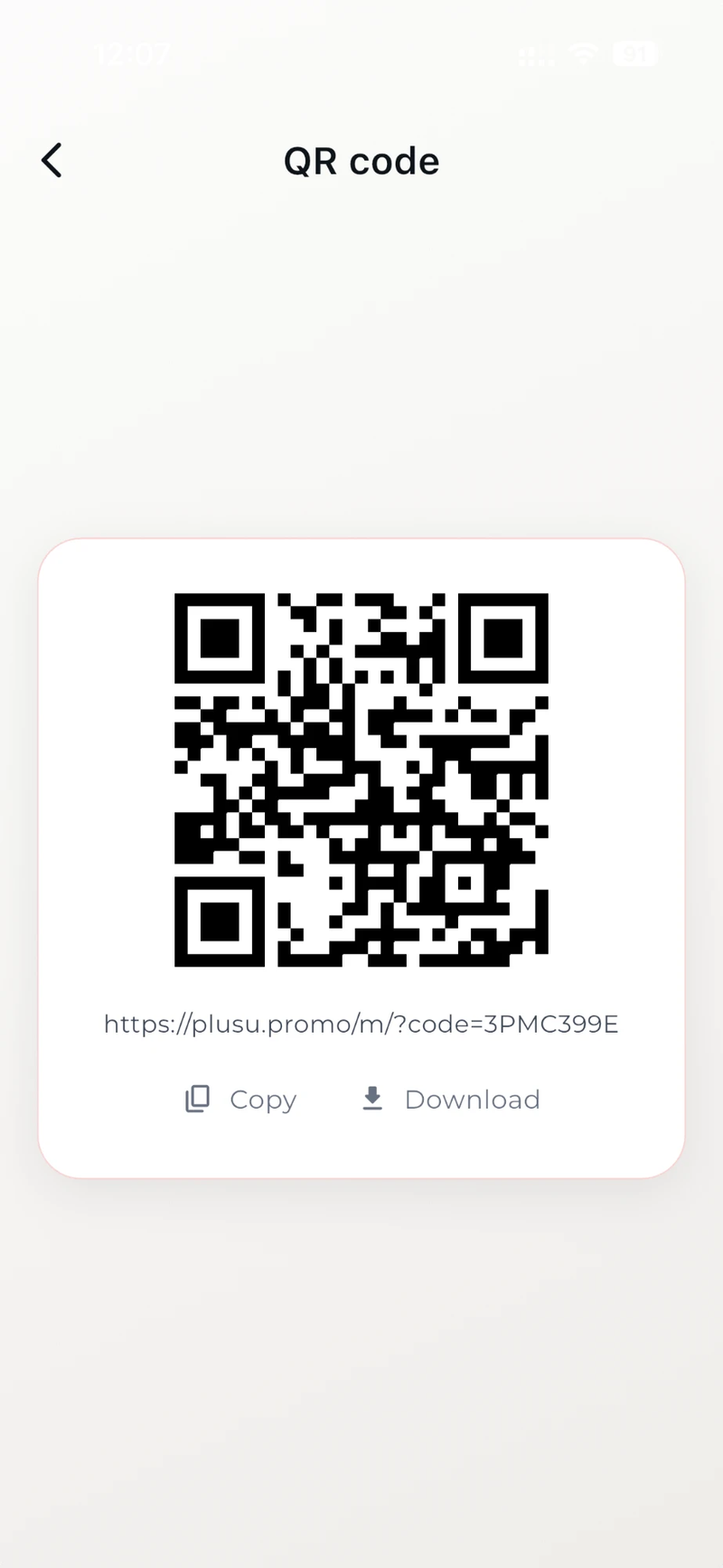
QR code is shown to customers
The QR code can be printed, placed at the counter, or shown on any screen.
Customer scans the QR code
The customer scans the QR code using their phone camera — no app download needed.
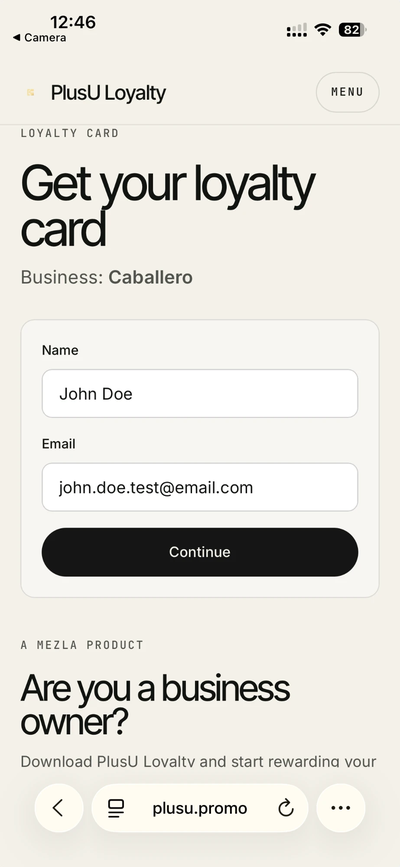
Customer enters basic details
The customer enters their name and phone number or email to receive the loyalty card.
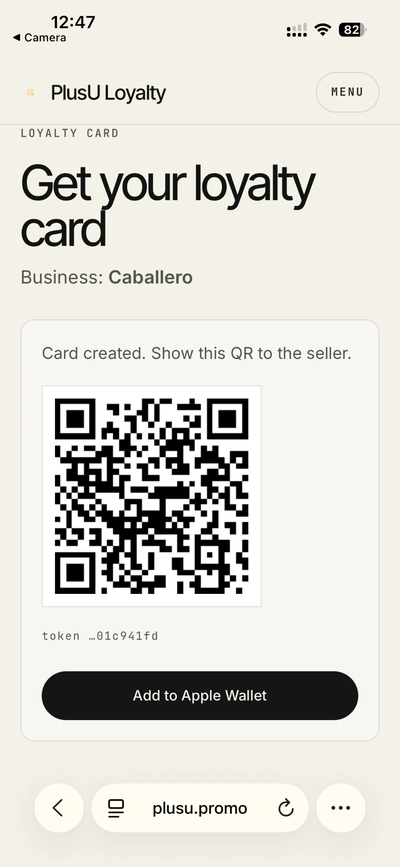
Loyalty card is saved to Wallet
The loyalty card is saved directly to Apple Wallet or Google Wallet on the customer’s phone.
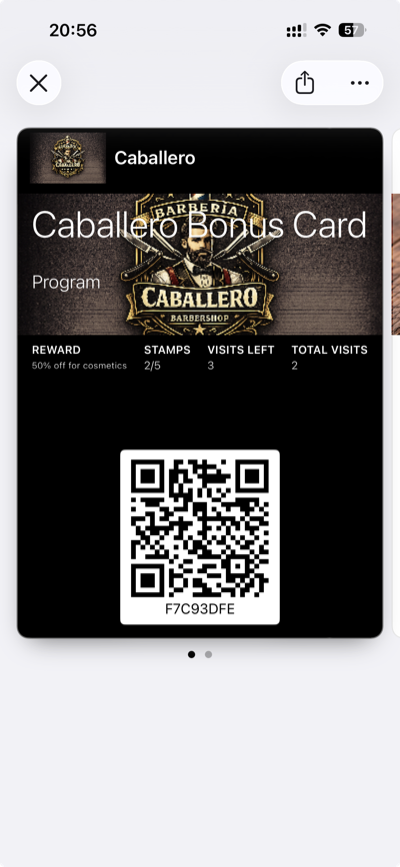
Customer earns bonuses and rewards
Each visit, the business adds bonuses to the card, and the customer always sees their rewards in Wallet.
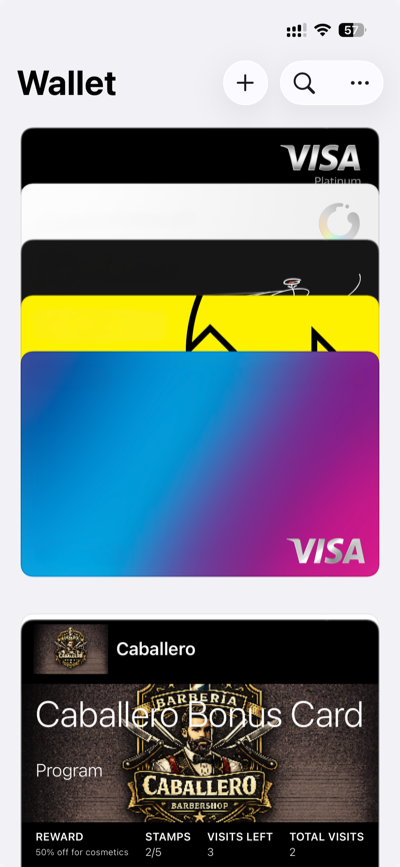
No customer app.
Less friction. More loyalty.Good to know.
Do customers need to download an app?
No. Customers simply scan the merchant's QR code with their phone camera, enter a name and email, and receive a loyalty card directly in Apple Wallet or Google Wallet — no app download required.
How does the loyalty card work in Apple Wallet or Google Wallet?
After signup, the customer's loyalty card is saved directly to Apple Wallet (iOS) or Google Wallet (Android). The customer always sees their bonus balance, rewards, and shows the card to the merchant for scanning on every visit.
Which businesses is PlusU Loyalty for?
PlusU Loyalty is built for small businesses — coffee shops, bakeries, barbershops, beauty salons, spas, flower shops, pet grooming services, and street food vendors. Any business with repeat customers can use it.
Is the app free?
PlusU Loyalty offers a free trial. After the trial, a subscription is required. Plans are available for individual businesses, families, and growing businesses. Subscriptions are managed through the App Store or Google Play.
How do I get started?
Download the PlusU Loyalty app, create a business profile and loyalty card, then share the QR code with your customers. The whole setup takes under 5 minutes.
Can I use PlusU Loyalty on multiple devices?
Yes. Your subscription plan determines how many devices can be active at once. You can manage and remove devices from your account settings in the app.
How do I delete my account?
You can delete your account directly in the app (Account Settings → Delete Account) or by emailing support@mezla.dev from your registered email address.
Stay in the loop
Drop your name and email — we'll keep you posted on launches and pilot openings.